Let’s be honest: There is nothing more frustrating than spending days editing a video, designing a perfect thumbnail, and uploading it... only to get 50 views.
Meanwhile, a competitor in your niche uploads a similar video and gets 100,000 views in 24 hours. Is it luck? No. It’s Metadata.
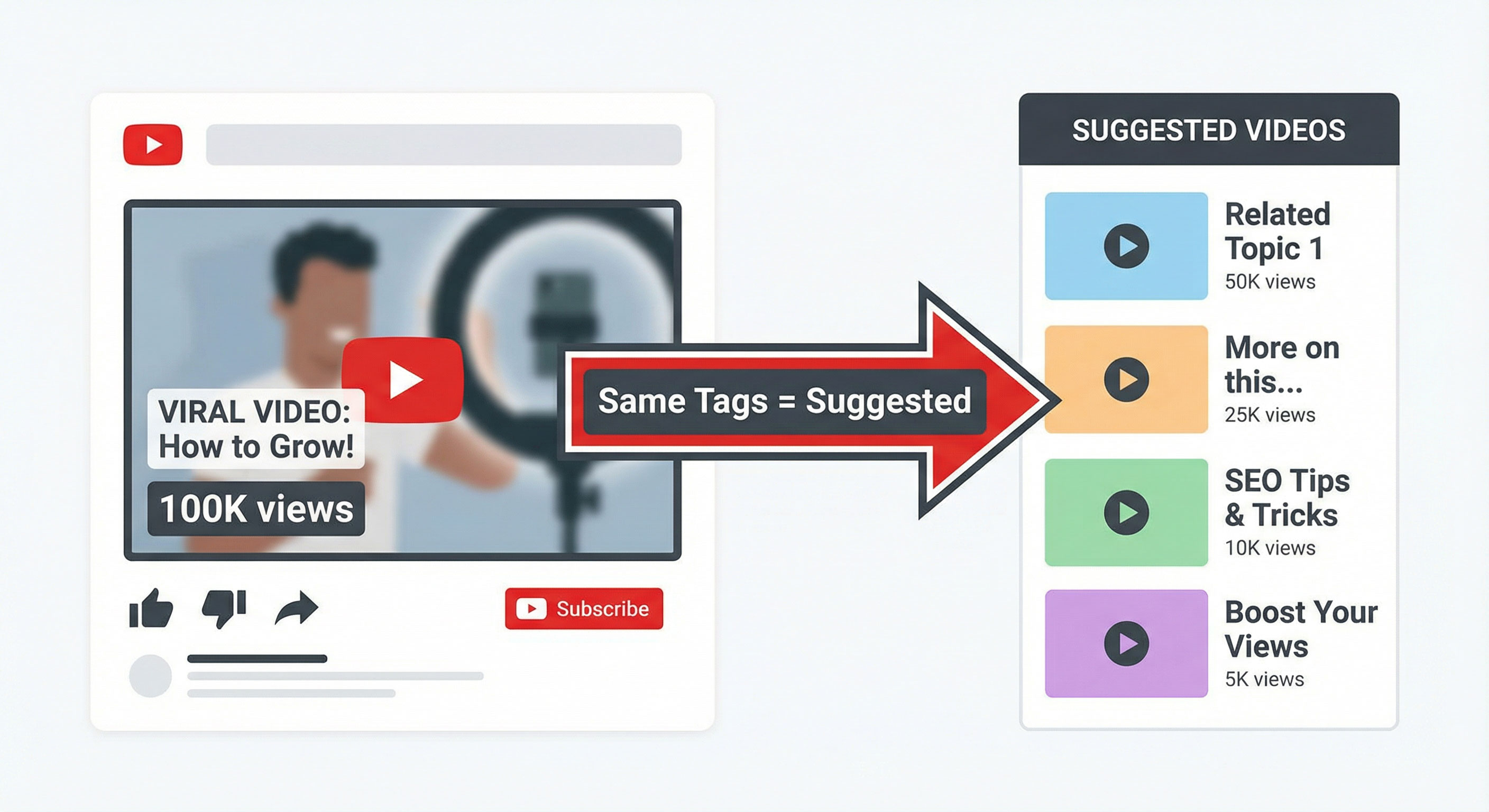
Specifically, it’s about the hidden YouTube Tags. While YouTube stopped showing tags publicly years ago, they still play a massive role in the algorithm, especially for "Suggested Videos" (the sidebar recommendations).
In this guide, I’m going to show you exactly how to "spy" on your successful competitors, reveal their hidden keyword strategy, and use it to skyrocket your own channel using a simple, free tool.
🕵️♂️ The Secret Code: Why YouTube Tags Still Matter in 2026
Many creators think tags are dead. They are wrong. While YouTube's AI has gotten smarter at understanding video content, tags remain a critical signal for context.
When you use the same tags as a viral video in your niche, you are effectively telling the YouTube algorithm:
"Hey! My video is about the exact same topic as this viral video. You should recommend my content to the same audience."
This strategy is called "Suggested Video Optimization," and it is the fastest way to grow a small channel.
🚀 Step-by-Step: How to Spy on Competitors' Tags (The Easy Way)
You don't need to be a hacker to see these hidden keywords. You just need the right tool. Forget about "View Page Source" and complex coding. Here is how to do it in 30 seconds:
Step 1: Find a Viral Video in Your Niche
Go to YouTube and search for your video topic (e.g., "Vegan Meal Prep"). Filter the results by "View Count" or look for a video uploaded recently that has a high number of views. This is your target.
Step 2: Copy the Video Link
Click on the video, then click the "Share" button and copy the URL.
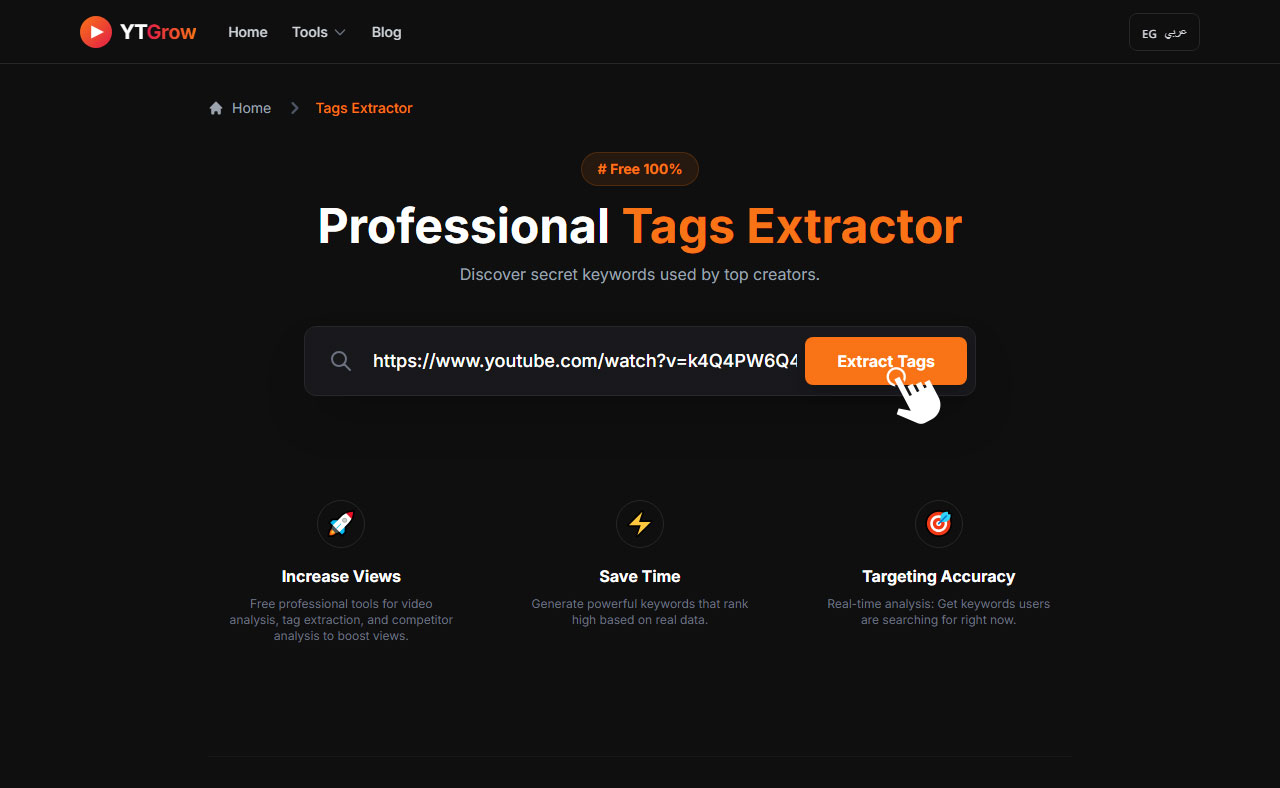
Step 3: Use the YTGrow Tag Extractor
This is where the magic happens. We developed a free tool specifically for this purpose.
- Go to the YouTube Tag Extractor Tool.
- Paste the link into the search box.
- Click "Extract".
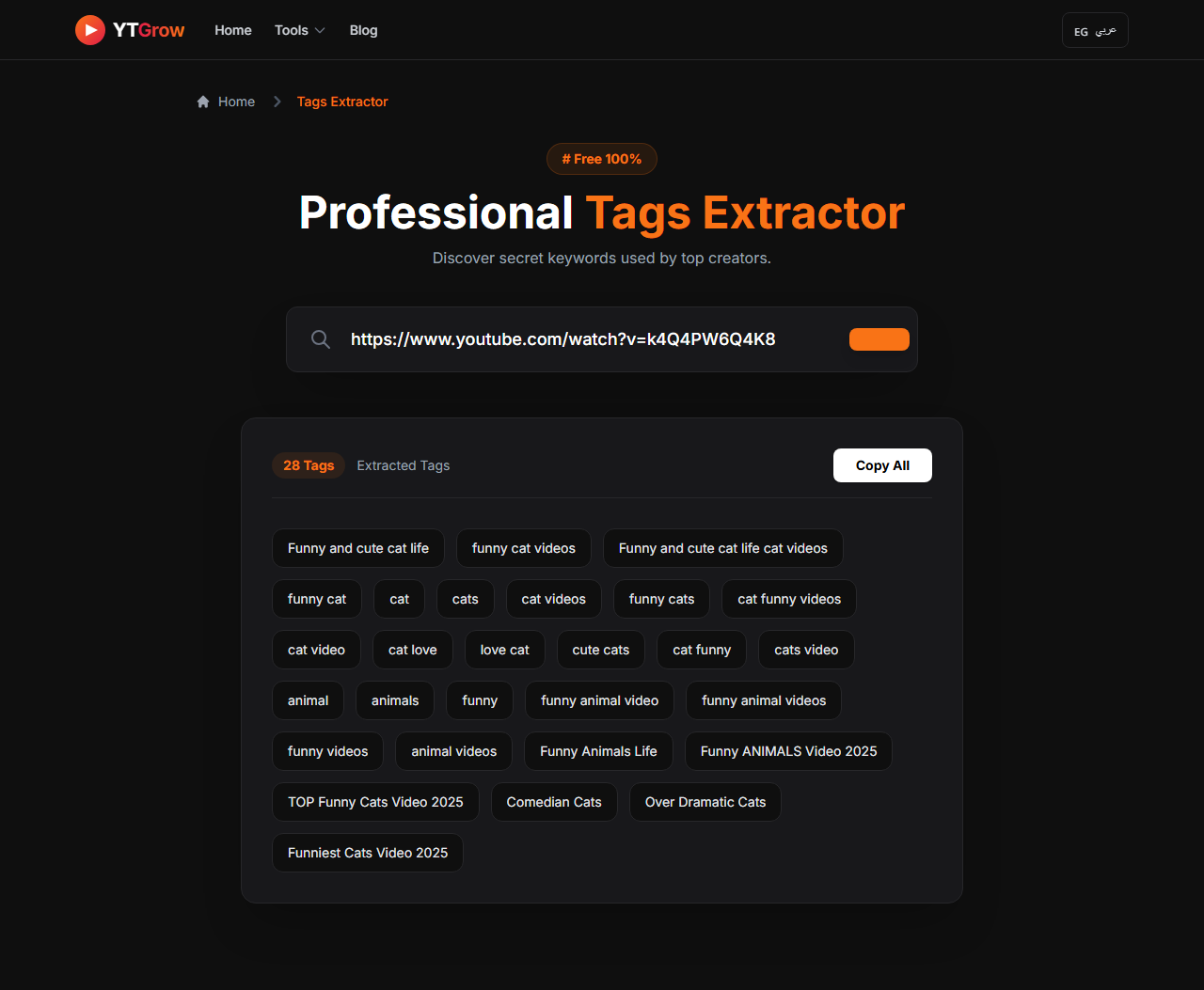
Step 4: Analyze and Copy the "Money Keywords"
In less than a second, our tool will reveal every single tag the creator used to rank that video. You will see a mix of broad keywords (e.g., "Cooking") and long-tail specific phrases (e.g., "Easy vegan meal prep for beginners").
Don't just copy everything blindly! Pick the tags that are relevant to YOUR video.
🔥 Pro Strategy: How to Mix Tags for Maximum Views
Now that you have the competitor's tags, how do you use them? To rank #1 in 2026, follow this formula:
- Broad Tags (2-3 tags): General topic (e.g., "Fitness", "Workout").
- Competitor Specific Tags (5-8 tags): The high-ranking keywords you extracted using our tool. This links you to their audience.
- Unique Tags (2-3 tags): Your channel name and your specific video angle.
By using this mix, you tell YouTube what your video is about, and who should watch it.
⚠️ Warning: 3 Deadly Mistakes That Kill Your Reach
While extracting tags is powerful, using them incorrectly can actually hurt your channel. As an expert in YouTube growth, I strongly advise you to avoid these common traps:
- The "Misleading" Trap: Never use tags that aren't related to your video just because they are trending (e.g., using "MrBeast" tag on a cooking video). YouTube considers this spam.
- The "Copy-Paste" Error: When you extract tags from a competitor, ensure you delete their channel name from the list. Rank for your brand, not theirs.
- Tag Stuffing: Don't use 50 tags. Stick to 15-20 highly relevant keywords to keep the algorithm focused.
❓ Frequently Asked Questions (SEO)
Is it legal to copy YouTube tags from other videos?
A: Yes, absolutely. Tags are public metadata. Using our tool simply reveals data that is already there in the page source code. It is a standard SEO practice used by all top creators.
Does this strategy work for YouTube Shorts?
A: Yes, but with a slight difference. For Shorts, the title and the first sentence of the description are more important, but tags still help the algorithm categorize your Short initially.
How many tags should I use?
A: Quality beats quantity. We recommend using between 10 to 15 highly relevant tags. Using too many irrelevant tags confuses the algorithm about your video's true topic.
💡 Conclusion: Stop Guessing, Start Ranking
YouTube SEO is not a guessing game. The data is right there, hidden behind the scenes. Successful YouTubers treat their channel like a business—they analyze the market and optimize accordingly.
Ready to unlock the hidden data of any video on YouTube?
Want to apply this practically?
Use our free professional Tags Extractor now to boost your channel rankings.
Try the Tool Now (100% Free) ➔